A desk has been empty for 40 minutes and nobody noticed
Absences surface when the client complains, not when they happen.
Team supervision · 100% in the browser
VigiWork confirms the right person is at their desk, catches absences as they happen and gives you a report for every workday. Built for remote, on-site and hybrid teams that work on a computer.
With the employee’s consent. No video recording and no photos.
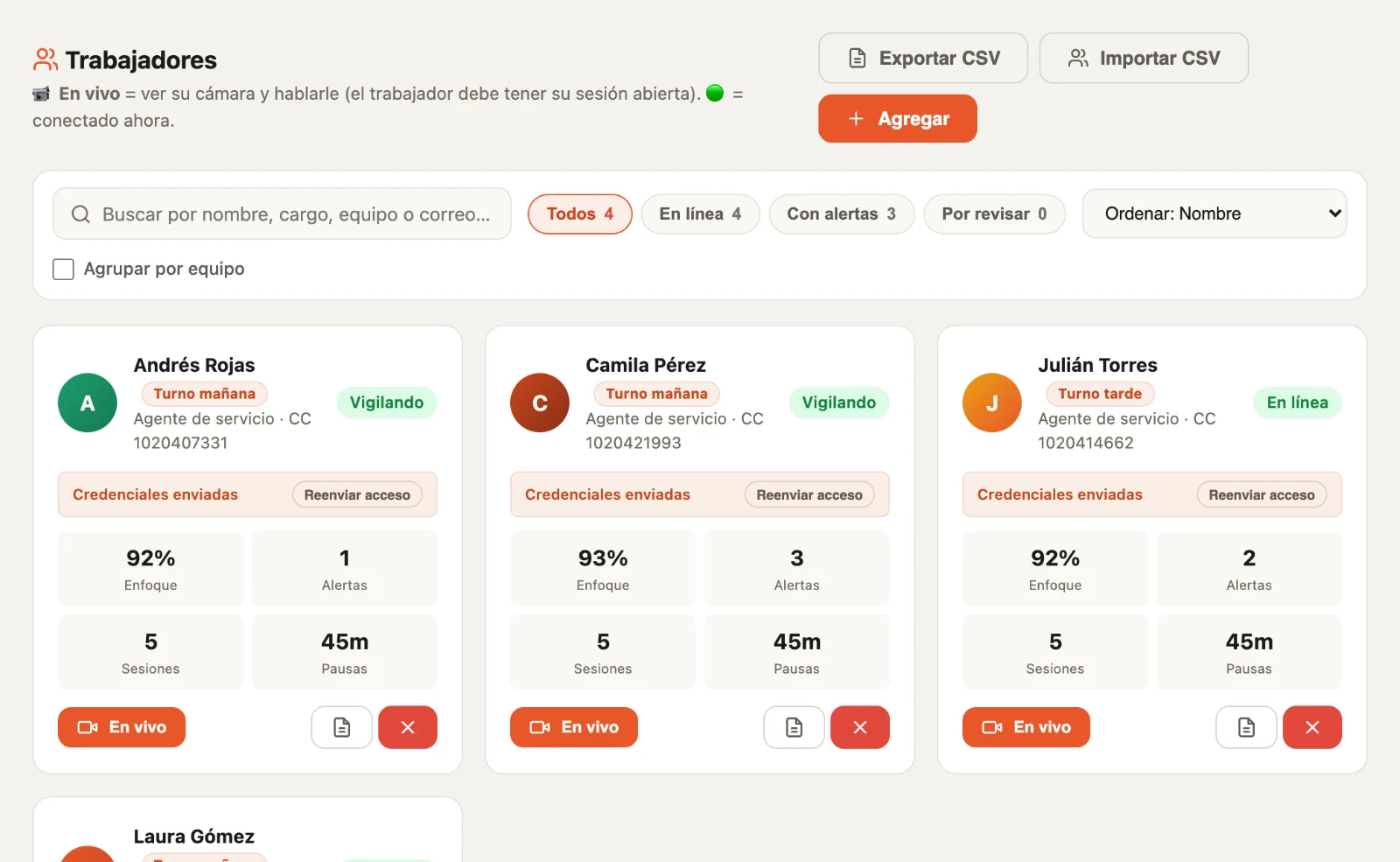
Dashboard view with sample data
The problem
Absences surface when the client complains, not when they happen.
Passwords get shared. The camera is the only thing that confirms who is actually working.
As the team grows, supervision turns into sampling: a few get checked and the rest is assumed.
With no record of the workday, performance conversations end up as opinion against opinion.
VigiWork turns those four situations into verifiable data, while the workday is happening.
Product
The camera confirms the person working is the one who registered. If someone else shows up or a photo is used, it’s logged and you get an alert.
See who is online and who has supervision running, without calling or messaging anyone.
If a desk stays empty longer than you set, an alarm sounds and the absence is logged. If it runs long, it becomes an incident for you to review.
Restroom, active breaks and lunch are logged separately, so they don’t count as absences.
Talk to anyone on your team over video. The conversation is transcribed live, with noise reduction, and when you hang up the minutes are saved in the chat and in Meetings, ready to download as a PDF.
Supervised hours, compliance, absences, interruptions and identity by employee and by day. Export to PDF or Excel.
Team groups and direct messages, with a status for each case: pending, in progress or solved.
You decide whether a long absence deserves a warning. If you issue one, the letter is generated and emailed to the employee.
Set how many seconds of absence trigger the alarm and when alerts are sent. Each company has its own settings.
Work models
The requirement is simple: a computer with a camera and an up-to-date browser.
People at home or in different cities, all held to the same supervision standard.
Workstations with cameras in offices or operations floors. Works best at individual desks, since the system flags when it sees another person in front of the camera.
One record, even when people switch between home and the office.
Who is it not for? If your team works in the field, on a plant floor or without a computer, VigiWork is not for you. It is built for workdays in front of a screen.
BPO & contact centers
When dozens or hundreds of agents work at the same time, checking desk by desk isn’t possible. VigiWork brings presence, identity and absences into one dashboard so supervisors deal with the exceptions, not the whole list.
The change
How it works
Register your company and set absence times and alerts.
Each employee gets an email to set a password, accepts the data policy and registers their face with three shots.
See live status, get alerts and download reports whenever you need them.
See it
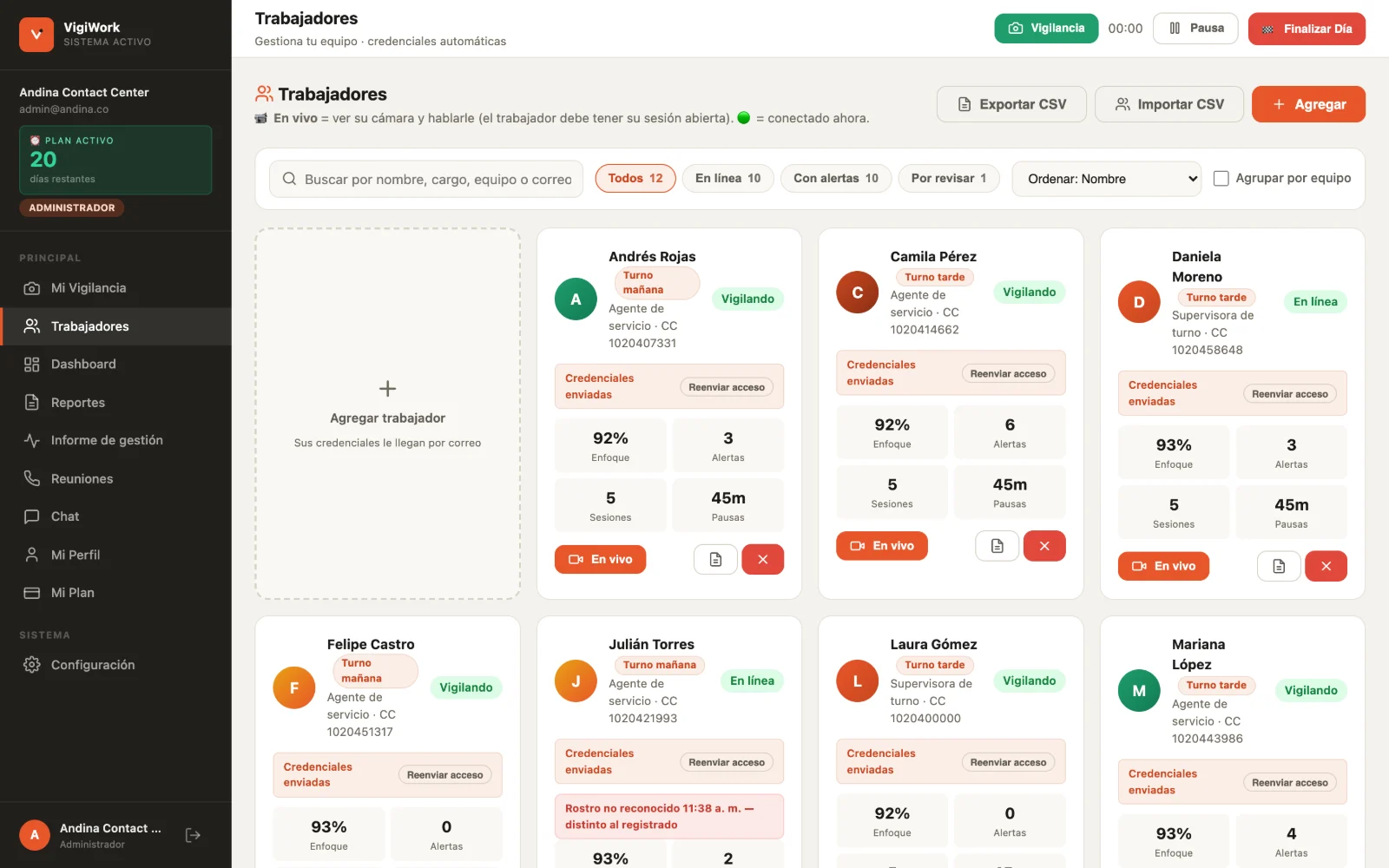
Each employee’s status, identity alerts and absences to review.
Real screenshots of the platform with sample data. The product interface is currently in Spanish.
Security & privacy
Before the camera turns on, each person accepts the terms and the data policy. The acceptance is recorded with a date.
Images are analyzed in the browser itself and nothing is stored: no workday video, no call video, no photos. What remains is the event log in text and the meeting minutes.
Face registration is turned into a series of numbers used for comparison. It is not a picture of the person.
Each company sees only its team, and each employee sees only their own information.
Everything travels over an encrypted connection (HTTPS) and is stored on Google Cloud infrastructure, encrypted at rest.
From the company profile you can cancel the subscription or delete the account and your team’s data.
Each company is responsible for informing its employees and applying its internal policies under the laws of its country. Read the terms and data policy (Spanish)
Pricing
Every employee and the admin count as users. One monthly payment per company, billed in US dollars.
Request a 7-day demo7-day demo, free of charge
The same price for 5 users or 500. No minimums, no contracts, no surprises on the invoice.
No long-term contract. Cancel anytime from your profile.
FAQ
It’s a tool that records presence, absences and workday compliance for a team. VigiWork does it through the computer’s camera, and also checks that each person is who they say they are.
No. VigiWork runs in the browser (Chrome, Edge or Safari). Employees sign in with their email and password.
AI checks, inside the browser, whether there is a face in front of the camera. If the desk stays empty longer than your company allows, an alarm sounds and the absence is logged.
At the start, each employee registers their face with three shots. During the day the system periodically compares who is in front of the camera, flags any mismatch and checks that it isn’t a photo.
Yes, as long as each desk has a camera. It works best at individual desks, since the system flags when more than one person is in front of the camera.
Each person’s live status, absence and identity alerts, the daily report for every workday and the management report for any period, downloadable in PDF or Excel.
No. VigiWork does not record video or take photos, not even when an identity alert is triggered: in that case the event is logged with the date and time, with no image. The camera is analyzed in the browser itself and only the workday events are stored, as text. The only photo in the platform is the profile picture, if the person chooses to upload one.
The text is kept, not the video. The conversation is transcribed as you talk and, when you hang up, the minutes are saved in the chat and in the Meetings section, downloadable as a PDF.
Yes. It’s one of the main use cases: many agents at once, filters to see only agents with issues and per-agent reports.
US$10 per user per month, including the admin. It is the same price for any team size.
You leave your details, we help you set up your company account and for 7 days you use VigiWork with your real team, free of charge. At the end we review the management report together.
Who is behind it
VigiWork is a JP Company product. We are a small team: when you request the demo a person answers, helps you create your team accounts and, after the 7 days, reviews your operation report with you.
7-day demo
Leave your details, pick a day and time, and the Google Meet invitation arrives right away. In that meeting we set up the 7-day demo with your team.
Rather talk to us? Book a one-hour meeting →
Rather start on your own? Create your company account →
VigiWork is team supervision software built by JP Company. It lets a company confirm that the right person is at their workstation, catch absences and interruptions as they happen, and receive a report for every workday. It runs entirely in the browser: nothing is installed on the team’s computers.
VigiWork also books demo meetings with its customers. For that it connects to Google Calendar using the VigiWork mailbox: when someone reserves a time in our booking page, the application creates that event in the calendar and sends the invitation to the participants. Only the calendar events permission is used, and only for that purpose; VigiWork does not read or change any other data in the Google account.
No photographs are ever taken and no audio or video is recorded as evidence. You can read the privacy policy and the terms of service.